Approximately Up Getting Started on Earth
Tutorial flow, garage editing, and your first successful launch.
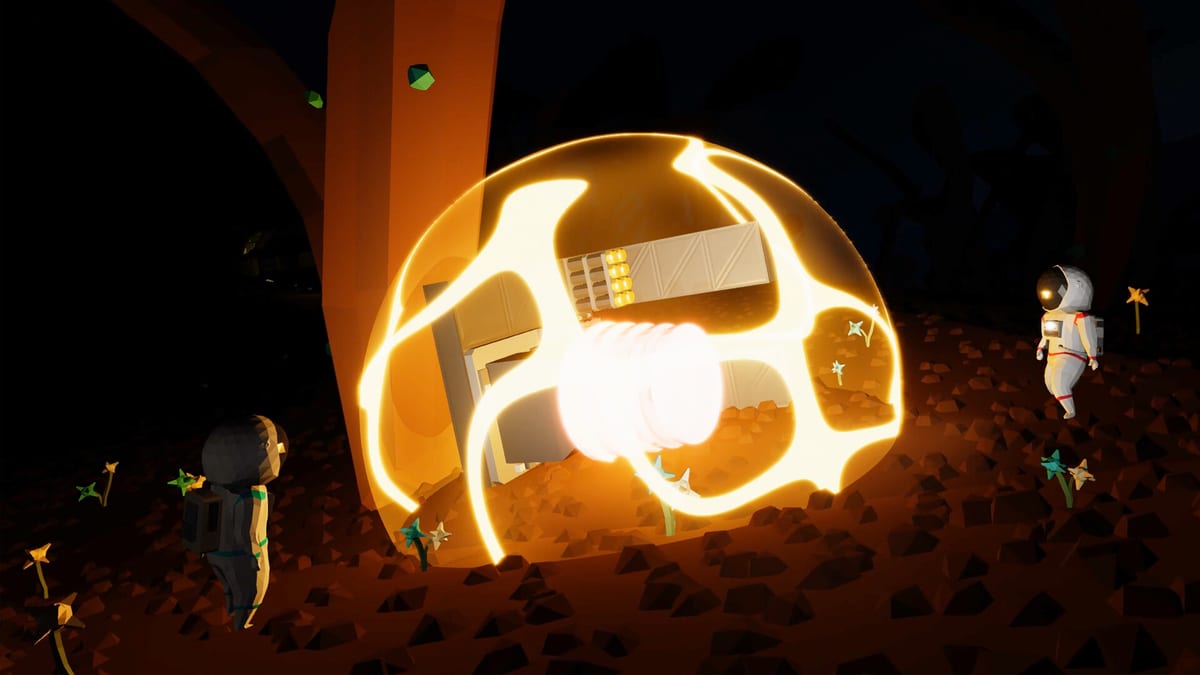
Approximately Up drops you on Earth with a garage, a pile of modular parts, and missions that teach building by doing. The Steam demo is fully playable now; the full game launches in August 2026 with more planets and co-op content. This guide walks through the first hour so you understand the two modes that define the game — garage edit and fly mode — before you chase the Moon or package deliveries.
Launch the demo and learn the loop
After starting a new session, you spawn near headquarters on Earth. Open the Controls page or press M in-game for the manual. Your immediate goal is not a perfect ship; it is understanding how parts snap together, how power reaches thrusters, and how data cables link joysticks to engines.
The core loop looks like this:
- Press G to enter Garage Edit Mode — place frames, thrusters, batteries, routers, and seats.
- Wire power and data between components (see Power and Data Routing).
- Hold R to enter Fly Mode — physics activate, gravity applies, and your design either flies or teaches you humility.
- Hold R again to end the flight; the scene resets to pre-flight state so you can fix wiring without permanent damage.
That reset is intentional. Approximately Up expects crashes. Treat each flight as a test, not a final exam.
Garage mode essentials
In garage mode (G), you place and connect blocks freely. Useful shortcuts from day one:
- G — toggle garage edit on/off
- Ctrl+G then drag — box-select multiple parts
- C — clone the selected component (garage context)
- X — delete selected parts
- H — garage debug info when something behaves oddly
Build on a flat frame first. The Build Your First Ship guide expands this into a checklist: frame, battery, power router, lifting thrusters, joystick or throttle, and a seat. Skip fancy logic until you can lift off and land without exploding.
Fly mode essentials
Hold R to launch. While flying, interact with cockpit controls by clicking levers, joysticks, and buttons, then use WASD or the mouse depending on what you selected. Press Mouse 3 (middle click) to reset a stuck lever or joystick to neutral — critical when your ship starts spinning.
Double-tap Left Shift to toggle hover dampening on foot; in ships, hover logic circuits (see Hover Logic) replace Space Engineers-style gyro dampers. For rotation in space, you need RCS thrusters — the tutorial missions introduce them after your first lift-off attempts.
First objectives on Earth
Mission terminals and the objectives screen (O) list tasks by difficulty. Green missions teach single concepts: retrieve a lost package, wire a basic thruster stack, or complete a short hop. Orange missions combine systems — for example, keeping cargo powered across a longer trip.
Early rewards unlock parts in your inventory: larger frames, data routers, RCS blocks, and batteries. Completing tutorials before free-building saves time because you learn which ports accept power versus data signals.
What to build before the Moon
Before reading the Moon Landing Guide, your Earth ship should reliably:
- Lift off with main thrusters connected through a power router
- Rotate with six RCS thrusters and an RCS controller
- Hover or descend controllably (manual levers or basic hover logic)
- Carry a small cargo crate through a 1.2×1.2×1.2 gate — the standard package size for lost-shipment missions
Use the Thrust Calculator if you are unsure whether your thruster count matches ship mass.
Multiplayer from the start
Online co-op supports up to four players. One person can stay in garage mode refining wiring while another test-flies. Read the Co-op Guide for lobby tips (Tab for lobby info) and how to split roles so nobody deletes the only battery.
Where to go next
Once you can launch, hover, and recover from a bad landing on Earth, continue to Build Your First Ship, then RCS Thrusters Setup. When missions call for Moonstep deliveries, open the Missions Walkthrough. For part priorities, check the Tier List and Planets Map for route planning.
Approximately Up rewards iteration. Your first ship will be ugly, over-thrusted, and missing a data branch somewhere — that is normal. Fix one system per rebuild and you will reach the Moon faster than rebuilding from scratch every time.
Frequently Asked Questions
Quick answers to the most common questions.
How do I enter fly mode?
Hold R to launch your ship and start physics simulation. Hold R again to end the flight and reset the scene to its pre-flight state.
How do I edit my ship after building it?
Press G for Garage Edit Mode. You can place, clone (C), delete (X), and rewire parts until you hold R to test again.
Does the game save my ship between sessions?
The demo persists blueprints and inventory progress. Use B for blueprints once unlocked. Always wire and test before assuming a saved design still flies after updates.
Why does nothing happen when I click a lever?
Components need power and often a data connection from a joystick or button. Verify power router links and that you clicked the control to focus it before using WASD.
When should I attempt the Moon?
After stable Earth flight with RCS rotation and basic cargo capacity. Follow the Moon Landing guide — the Moon has atmosphere, so thruster choice matters.