Approximately Up Ship Blueprints (B Key)
Save, load, and swap hulls — do not lose your garage work between sessions.
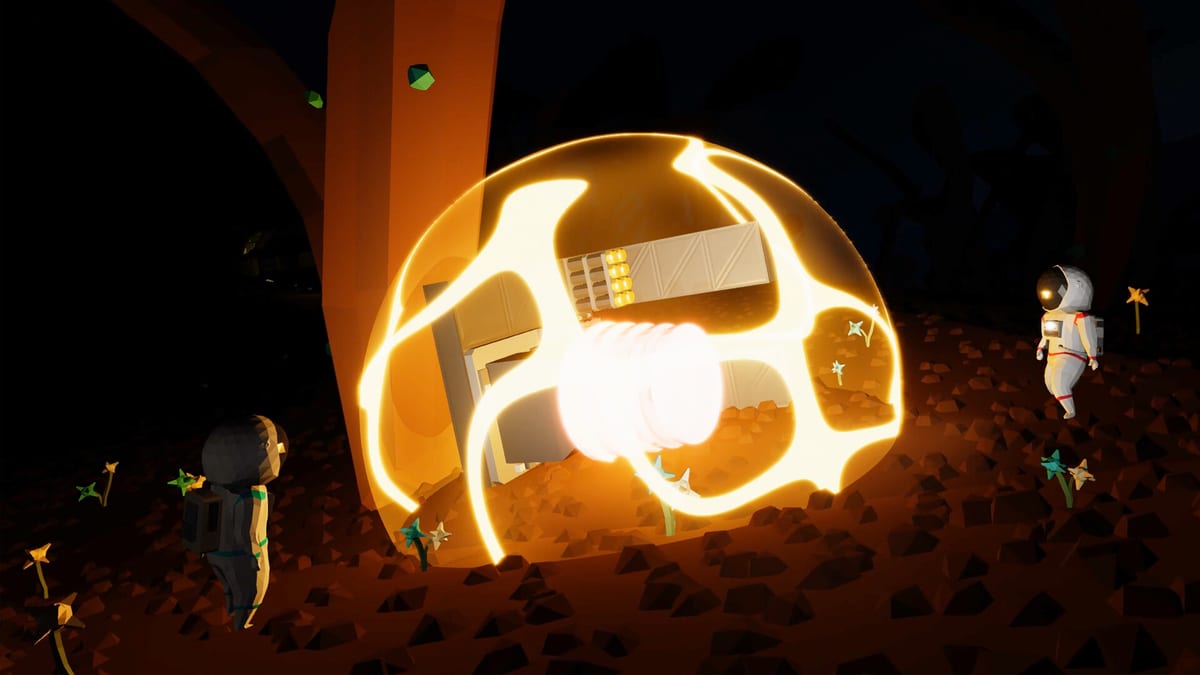
Approximately Up ships are modular and disposable — tutorials recycle your first hull, missions add mass, and co-op sessions end in explosions. Blueprints let you snapshot a working garage layout and reload it later without rewiring from scratch. Press B to open the blueprint menu, save with the plus button, name your design, and load to replace the current garage contents. This guide covers save/load workflow, Earth-vs-Moon spawning quirks, and launch-week habits so you keep flyable hulls before the demo sunsets.
Pair with Controls, Build Your First Ship, and Moon Landing — all three reference blueprint saves during progression.
Opening the blueprint menu
| Action | Key / UI |
|---|---|
| Open blueprints | B |
| Save current garage | Plus (+) button, then name |
| Load saved blueprint | Select entry → Load → Replace garage |
| Close menu | B or ESC |
Blueprints store part layout and wiring in the current garage — not in-flight state, cargo, or mission progress. Save before ending fly mode if you just landed a successful test; save after garage edits when you finish a wiring pass.
Community tutorials stress: if you quit without saving, the blueprint may be gone when you return. Treat B → + → name like Ctrl+S in other games.
Save workflow (recommended)
- Finish edits in garage mode (G).
- Press B → + → enter a clear name (
earth-lifter-v3,moon-tug-rcs). - Optional: launch test with R; if successful, save again with incremented version.
- Before logging off, open B and confirm your latest name appears.
Naming convention tips:
- Prefix by world:
earth-,moon-,oldara- - Note thrust type:
atmo,electric,hybrid - Mark mission fit:
icecream,package-1.2,fred-star
Compare part choices on the Tier List before duplicating a weak hull under three names.
Load and replace garage
Load → Replace garage swaps the entire build zone with the saved snapshot. Current unsaved garage work is overwritten — clone tricky sections with C or save a backup blueprint first.
Use loads to:
- Swap between Earth lifter and Moon tug at the same station
- Restore a hull after a catastrophic test flight without Time Rewind
- Share baseline layouts in co-op — one player loads while others review (Co-op guide)
You cannot merge two blueprints in one garage automatically — load one, manually copy sections, save a new combined blueprint.
Earth vs Moon spawning note
Players report a world spawn quirk: after some Moon missions, resetting may return you to Earth unless you pick spawn location from the main menu (Earth HQ vs Moonstep). Blueprints are tied to your account/library, but where you stand when you load depends on spawn selection.
Moon mission workflow from community guides:
- Save lunar-ready hull as blueprint on Earth.
- Travel or menu-spawn to Moonstep.
- Load blueprint if the pad garage is empty or you need a fresh copy.
- Fly mission; save again on Moon if you improved the design.
See Missions Walkthrough for ice cream delivery prerequisites.
What blueprints do not save
Blueprints do not preserve:
- Mission cargo state (freezer power, package inside bay)
- In-flight damage or detached parts mid-run
- Objective completion or unlocked parts inventory
- Co-op session if only one player saved locally — confirm host saves
Inventory unlocks from missions persist on your save file; blueprint files are hull templates only.
Blueprints before full release
The Launch guide notes the demo delists August 6, 2026. Before launch:
- Blueprint every hull you might want to recreate in the paid game.
- Screenshot wiring from cockpit monitors if blueprints fail to migrate (save migration not confirmed).
- Export notes: TWR values from Thrust Calculator, part lists, RCS knob settings.
Even if saves transfer, having named blueprints speeds day-one exploration of 17 planets.
Blueprints for challenge builds
Minimal hulls — like No Frame Challenge ships without Frame/Window blocks — should be blueprinted before teardown. Contest rules required screenshots with the timeboard; saving the blueprint preserves the design for post-event bragging.
For Fred’s Star finale prep, maintain separate blueprints:
scanner-radar-oldara— monitors + power branchesmoon-approach-backup— atmospheric + electric mix
Troubleshooting
| Problem | Fix |
|---|---|
| Blueprint missing after restart | You likely quit without B → + save |
| Load grayed out | Open garage on a station with a build pad; some UI requires G off |
| Wrong hull after load | You chose Replace garage — reload previous save blueprint if you kept one |
| Blueprint from demo gone after launch | Demo data may not migrate — use screenshots + notes |
| Co-op partner sees old hull | Host must load; clients rejoin or sync in garage |
Related guides
- Build Your First Ship — first hull worth saving
- Power and Data Routing — wiring to snapshot
- Moon Landing — lunar blueprint workflow
- Launch guide — demo sunset timing
Press B early and often. Approximately Up rewards iteration — blueprints turn one good afternoon in the garage into a fleet you can reload whenever the front falls off.
Frequently Asked Questions
Quick answers to the most common questions.
How do I save a ship blueprint?
Press B to open blueprints, click the plus button, name your design, and confirm. Save after garage edits and successful test flights.
How do I load a saved blueprint?
Press B, select a blueprint, choose Load, then Replace garage to swap the current build zone with the saved layout.
Will blueprints survive after I quit the game?
Only if you saved them with B before exiting. Unsaved garage work can be lost on quit.
Do blueprints transfer from demo to full game?
Not confirmed. Screenshot layouts and note part lists before the demo delists on launch day.
Can I swap Earth and Moon ships with blueprints?
Yes. Save each hull as a blueprint, spawn at the desired station, and load the matching design to replace the garage.