Approximately Up Radar & Navigation
Locate stations, packages, and flat landing zones before you commit to a burn.
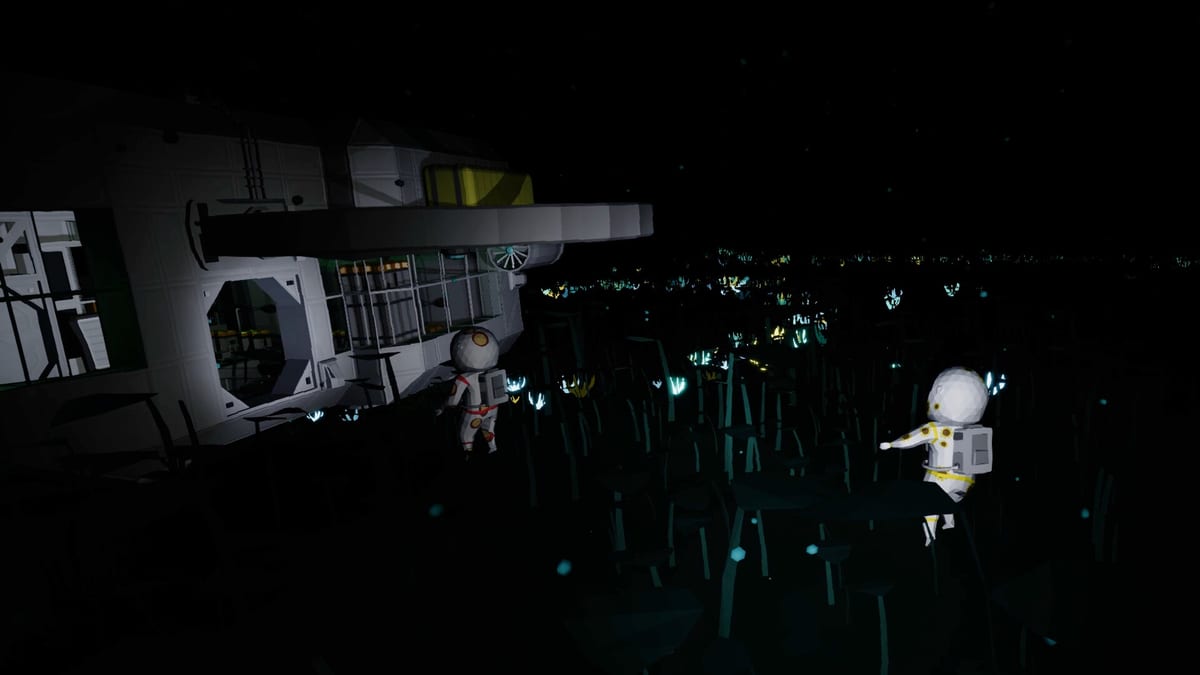
In Approximately Up, your ship’s radar is the difference between a clean pad landing and a long walk back to headquarters. Radar displays Planet Stations (discovered and undiscovered), lost cargo packages, and terrain elevation so you can spot flat approach paths. It also hands off between worlds — when you leave Earth and approach the Moon, the radar view switches from Earth-centric targets to lunar stations. This guide explains wiring, reading the display, and navigation habits that carry from first package missions through Fred’s Star finale.
Pair this page with Build Your First Ship, Moon Landing, and Missions Walkthrough.
What radar shows
According to in-game manual text and community tutorials, radar overlays:
| Target type | Why it matters |
|---|---|
| Planet Stations | Garages and mission boards; unlock permanently on first landing |
| Undiscovered stations | Hints at map nodes you have not unlocked yet |
| Lost packages | Mission blips for retrieval objectives (press O to read dimensions) |
| Terrain elevation | Helps identify flat surfaces for safer touchdowns |
Radar is S-tier on the Sensors tier list because almost every mission assumes you can see blips from the cockpit monitor.
Mounting and wiring radar
Typical demo setup:
- Place a radar block on the hull with clear line of sight (avoid burying it inside solid frames).
- Connect power from battery or router — radar drops offline if your branch shares a switch with thrusters you toggle off.
- Route data to a CRT monitor or cockpit screen so the pilot sees the overlay while holding fly mode (R).
- Test in garage (G) before launch: power on, enter fly mode briefly, confirm blips render.
Common failure: radar powered but no monitor link — you hear logic click without visual feedback. Fix data cables in Power and Data Routing.
Reading the display in flight
Package missions — Open objectives (O), note package size (often 1.2×1.2×1.2 m), then follow the radar ping. Land nearby, interact (E) with the crate, walk it through your cargo gate, return to headquarters.
Station approaches — Use elevation shading to pick flat pads. On mountainous retrieval missions, combine radar with RCS thrusters for tight corrections and Hover Logic for slow final descent.
Long transfers — Keep radar powered during coast phases so you notice when the Moon enters range. Moon Landing guides recommend verifying Moonstep on radar before you bleed off horizontal speed.
Earth-to-Moon radar handoff
A critical demo detail: radar re-targets when you cross from Earth space to Moon space. Players report the UI switching from Earth headquarters / package icons to lunar station markers as the Moon dominates the sky.
Practical tips:
- Do not assume Earth blips stay valid after trans-lunar injection — re-acquire Moonstep on the new view.
- Keep RCS battery indicators visible (green lights on the RCS controller) during handoff; long approaches drain pitch/yaw thrusters.
- The Moon has a thin atmosphere in the demo — plan atmospheric thrusters for low-altitude lunar maneuvers even though vacuum electric thrust handles most of the transfer.
Radar for Fred’s Star and scanner puzzles
The Fred’s Star finale adds scanner-style objectives on Oldara — charging towers and navigating under crisis visibility. Treat radar and any scanner blocks as mission-critical, not optional cosmetics:
- Dedicated power branch that cockpit toggles cannot kill
- Co-op spotter on the monitor while the pilot holds approach (Co-op Guide)
- Backup Time Rewind plan if allowed — some community events ban rewind
Radar versus other sensors
Radar answers where; other sensors answer how fast and how level:
| Sensor | Role |
|---|---|
| Velocity meter | Vertical speed for hover PD loops |
| Altimeter | Height above surface |
| Inclinometer | Pitch/roll awareness |
| Trajectory curvature meter | Angle between facing and velocity (advanced Sun/black hole routes) |
Stack radar with at least velocity + altimeter before orange-tier missions. See Sensors tier list for ranking.
Exploration beyond missions: Sun and black hole
Community explorers use radar and trajectory tools to aim 21° off the Sun on extreme routes toward the black hole behind it — heating destroys ships around 330,000,000 m on direct Sun lines. This is optional sandbox content, not required for Fred’s Star, but radar discipline transfers.
Document your personal map on Planets Map notes: which stations are unlocked, which hull is parked where.
Troubleshooting
| Symptom | Fix |
|---|---|
| No blips on monitor | Check data cable radar → monitor; confirm power LED |
| Blips disappear mid-flight | Router overload or switch cut power — isolate radar branch |
| Cannot find mountain package | Gain altitude; radar elevation helps spot flat approach lanes |
| Moon base not showing | Wait for lunar handoff; ensure Moon is in range and radar powered |
| Station pad looks flat but crash | Cross-check velocity; use RCS pulse landing |
Recommended build order
- Wire radar + monitor on first flyable hull (Build Your First Ship)
- Complete headquarters package mission using radar pings
- Add RCS before mountain retrieval
- Verify lunar handoff on a Moon test hop before ice cream cargo
- Upgrade scanner layout before Fred’s Star finale
Radar is not flashy, but Approximately Up hides its missions in blips and elevation colors. Wire the screen where you look during R fly mode — your future self on Oldara will thank you.
Frequently Asked Questions
Quick answers to the most common questions.
What does radar show in Approximately Up?
Planet Stations (known and unknown), lost mission packages, and terrain elevation to help you pick landing zones.
Does radar switch when I fly to the Moon?
Yes. The display hands off from Earth targets to lunar stations as you approach the Moon.
Why is my radar blank in the cockpit?
Usually missing data link to a monitor or power cut on the radar branch. Check cables and routers.
Do I need radar for Fred's Star?
Yes. Finale missions rely on scanner and radar-style navigation on Oldara; prep with this guide and the Missions Walkthrough.
Where is radar ranked in the tier list?
S-tier on the Sensors and Logic tier list — bring it on almost every mission ship.