Approximately Up Demo vs Full Release
15 planets in the demo, 17 at launch, languages, and what to expect in August 2026.
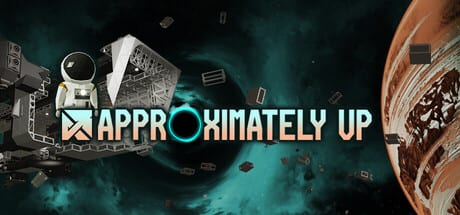
Approximately Up’s public demo surprised many players by staying online long after Steam Next Fest — and by packing more hours than a typical festival slice. The full release targets August 6, 2026 on Steam with a wider planet roster and full language support. This page compares demo vs paid scope so you know what you are playing today, what you are buying later, and where official sources might still change details.
Side-by-side overview
| Feature | Demo (extended playtest) | Full release (planned) |
|---|---|---|
| Price | Free | Paid Steam title |
| Planets | 15 unique worlds in marketing copy | 17 planets per developer announcements |
| Languages | English only (UI/audio/subtitles) | 14 languages on Steam interface list |
| Co-op | Up to 4-player online | Up to 4-player online |
| Progress | Demo save / unlock path | Full campaign and mission tree |
| Availability | Until full launch (extended) | Permanent purchase |
| Purpose | Bug reports, suggestions, learning | Complete experience |
Numbers come from Steam store text and developer community posts — re-check Links near launch week.
The 15 vs 17 planet question
Steam’s About This Game section describes exploring 15 unique planets with distinct look, gravity, atmosphere, and soundtrack. Separately, the developer told the Steam Community the full version should contain 17 planets — bigger than the demo slice players explore during the extended playtest.
Practical takeaway:
- Demo players experience a substantial multi-planet system already — not a single-level teaser.
- Full buyers should expect at least two additional worlds plus polish passes on stations, missions, and audio.
- Wiki planet guides note demo-visible names on Planets map and flag unknown full-release additions as they are revealed.
If you are demo-only, you are not missing “just Earth” — you are missing the outer rim the team still finishing.
Demo history and why it still runs
The demo debuted during Steam Next Fest in February 2026. Initial messaging suggested a short availability window; the developer later extended access until the full game ships, citing strong community growth and the value of continued bug reports. That decision matters for players who started late: you still have time to learn wiring, RCS knobs, and co-op roles before launch.
During the extended demo period, the team focused on:
- Bug fixes from player reports
- Suggestion channel reviews on Discord
- Polish for the larger full-game map
- Fred’s Star finale — the June 6, 2026 mission patch marked the last demo content update before launch
Expect the demo to go offline or redirect when the paid version launches — Steam demos often unlist when the main app releases. Wishlist or buy the full game to keep playing; do not assume the demo executable updates into the paid build automatically.
Languages: English now, fourteen at launch
The demo ships English-only for interface, full audio, and subtitles — fine for the global playtest crowd but rough for non-English crews. The Steam store lists 14 supported interface languages for the full product, including French, German, Spanish, Portuguese (Brazil and Portugal), Japanese, Korean, Russian, Simplified Chinese, Czech, Polish, Turkish, and Italian.
Wiki locales (en, fr, de, es) mirror common player languages but are fan translations — in-game text will follow Valve’s language list at release. If language support drives your purchase timing, wait for launch reviews confirming VO/subtitle coverage per locale.
Content depth: missions, parts, and co-op
Both demo and full game center the same core loop from Approximately Games:
- Modular shipbuilding with frames, thrusters, cables, sensors, and logic
- First-person flight from the deck
- Planet Stations as permanent unlock garages
- Delivery and experimental missions rewarding new components
- Co-op blame-game humor with up to four players
The full release adds scale — more planets, more mission variety, more parts to chase — rather than a different genre. Skills you learn in demo (TWR planning, lunar electric landings, radar approaches) transfer directly. Use Getting Started, Thruster tier list, and Thrust calculator during the demo so launch day is exploration, not relearning controls.
Saves, purchases, and Steam expectations
Steam demos sometimes use separate app IDs from the full game. Plan for:
- Possible non-transferable saves — back up locally if Steam Cloud allows; verify after launch posts
- Separate install — full game may download fresh even if demo stays installed
- Achievements — likely tied to full app only
We will update this section when the developer confirms save migration. Until then, treat demo progress as practice, not guaranteed carryover.
Should you play demo now or wait?
Play demo now if you want free co-op, enjoy engineering games, or plan to submit bug reports.
Wait for full release if you need localized UI, want the complete 17-planet map on day one, or dislike investing time in a build that might not transfer saves.
Wishlist regardless — it signals demand and triggers Steam email on release.
Official channels to watch
- Steam store news
- Discord announcements
- Updates hub on this wiki
Related reading
- Planets map — gravity and atmosphere per world
- Codes — no Roblox-style codes; progression is mission-based
- Co-op guide — four-player demo sessions
- Fred’s Star finale — last demo mission (June 2026)
- Links — socials and disclaimer about fan wiki status
The demo is a generous rehearsal; the full release is the tour. 15 planets already teach you to crash creatively — 17 aim to give you somewhere new to rebuild afterward.
Frequently Asked Questions
Quick answers to the most common questions.
How many planets are in the demo?
Steam marketing describes 15 unique planets in the game system; the demo exposes a large subset of that scope rather than a single tutorial world.
How many planets are in the full game?
The developer stated the full version should include 17 planets — two more than the 15 highlighted in store copy.
Will demo progress carry over to the full game?
Not confirmed. Demo and full release may use separate Steam apps; treat demo progress as practice until official save migration news.