Approximately Up Steam Launch — August 6, 2026
Price, launch discount, achievements, languages, and what happens to the demo.
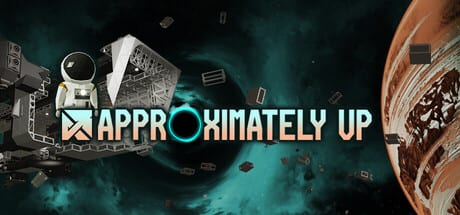
Approximately Up leaves the extended demo phase and launches on Steam on August 6, 2026. Approximately Games confirmed a $24.99 USD base price with a 20% launch discount for the first 10 days — bringing the intro price to $19.99 USD through roughly August 16, 2026 (regional pricing may differ). This page collects verified launch facts, what changes from demo to paid, and a prep checklist so you are not rebuilding from zero on release morning.
Always confirm live numbers on the Steam store page — dates and discounts can shift.
Launch facts at a glance
| Item | Detail |
|---|---|
| Release date | August 6, 2026 (Steam) |
| Base price | $24.99 USD |
| Launch sale | 20% off → $19.99 USD for first 10 days |
| Planets | 17 at launch (developer target; store copy cites 15+ unique worlds) |
| Languages | 14 interface languages at full release |
| Co-op | Up to 4 players online |
| Achievements | Steam Achievements on the full app |
| Demo | Goes offline when the paid game ships |
Source: Steam store, developer Steam Community posts, and launch announcement summaries on community trackers. This wiki is fan-run — trust Valve checkout screens over third-party blogs.
What you are buying vs the demo
The demo was a large playtest: tens of hours, Earth-to-Moon missions, Fred’s Star finale, and co-op chaos — but English-only UI and a locked content scope after the June 2026 final patch. The paid game adds:
- Two additional planets (17 vs the demo’s completed slice)
- Full language pack — French, German, Spanish, Portuguese, Japanese, Korean, and more on Steam’s interface list
- Steam Achievements tied to the retail app ID
- Fuel engines, solar panels, heat-resistant frames and other parts teased in store marketing beyond the demo roster
- Ongoing patches after launch instead of demo sunset
Skills transfer: RCS setup, radar navigation, moon landings, and hover logic you practiced in the demo remain relevant. Read Demo vs full release for planet counts and save expectations.
Launch discount — not a redeem code
The 20% launch discount applies automatically on Steam during the sale window — it is not a text code you paste in-game. Ignore fake “launch code” sites; see our Codes hub for why Approximately Up has no Roblox-style redemption menu.
If you are price-sensitive:
- Wishlist the game for Steam email notification at go-live.
- Buy during the first 10 days if you want the $19.99 USD intro price (USD region).
- Check regional pricing — Approximately Games noted final price may vary by country.
No Frame Challenge winners and random contest crews may receive free Steam keys from the developer — those are direct key grants, not public promo strings.
Achievements and progression
Steam lists Achievements for the full product. Demo playtime does not automatically unlock retail achievements — expect a fresh app install even if the demo stays in your library briefly during transition.
Achievement-style goals that match the game’s loop:
- First successful Planet Station unlock on a new world
- Mission chains across multiple garages
- Co-op completions with four roles split (Co-op guide)
- Surviving extreme routes teased in Planets map (Sun offset flights, deep-space legs)
We will add an achievement reference page post-launch if the community datamines a full list — until then, treat achievements as discoverable in-game and on your Steam profile after purchase.
Demo sunset checklist
When the clock hits launch:
- Save blueprints — press B, name hulls you want to remember; blueprints do not survive quitting if unsaved (Blueprints guide).
- Screenshot garage layouts and wiring you might want to replicate.
- Finish Fred’s Star if you have not — the demo will delist.
- Note which Planet Stations you unlocked for mental route planning.
- Buy or wishlist before demo removal if you still need practice time.
Saves may not migrate from demo to paid — treat demo progress as training. Watch Steam news for any last-minute migration announcement.
Pre-launch skill checklist (free demo time left)
Use remaining demo days to reduce launch friction:
| Skill | Wiki page |
|---|---|
| Garage edit + fly mode | Controls |
| First hull + power | Build Your First Ship |
| Package missions | Missions Walkthrough |
| Moon ice cream run | Moon Landing |
| Scanner finale | Fred’s Star finale |
| TWR planning | Thrust Calculator |
Launch week co-op plan
Four-player crews should agree roles before August 6:
- Builder — garage (G) and blueprint swaps
- Pilot — fly mode (R) and time rewind discipline
- Engineer — power branches and cargo power for missions
- Navigator — radar monitor and objective log (O)
Launch night lag is real — pre-build a lunar tug and an Earth lifter so you explore new planets instead of debugging cables.
Official channels on launch day
- Steam store — buy button and news
- Discord — patch notes and server status
- Updates hub — wiki summaries within hours of major posts
- Links — socials and disclaimers
Related pages
- Demo vs full release — scope and languages
- No Frame Challenge — demo contest rules and free keys
- Planets map — world differences
- Codes — no promo strings; Steam sale only
Approximately Up’s launch is the starting line, not the finish — build, crash, rebuild across 17 planets with localized UI and achievements. Grab the launch discount if you are buying, and fly safe on August 6.
Frequently Asked Questions
Quick answers to the most common questions.
When does Approximately Up release on Steam?
August 6, 2026, per the Steam store page and developer announcements. Verify on Steam in case the date moves.
How much does Approximately Up cost at launch?
$24.99 USD base with a 20% discount for the first 10 days, bringing the intro price to $19.99 USD in the US region.
Is there a launch promo code?
No. The 20% discount applies through Steam's store pricing during the launch window, not via in-game code redemption.
What happens to the demo on launch day?
The developer stated the demo goes offline when the full version releases. Wishlist or buy the paid game to keep playing.
Does the demo have Steam achievements?
Achievements are listed for the full Steam app. Demo progress and achievements may not carry over — expect a separate install.